Warnings. Guidance. Next steps.

Weather-risk warnings for your health, workforce or farm.

TheHyWing explains heat, weather and air-quality risks and suggests precautions for where you are. Choose personal preventive-health tools, workplace risk tools or guidance for crops, livestock and storage.

You can start on WhatsApp without the app. Available services depend on your location and plan.

Invited by your employer? Start with your invitation, not a personal purchase.

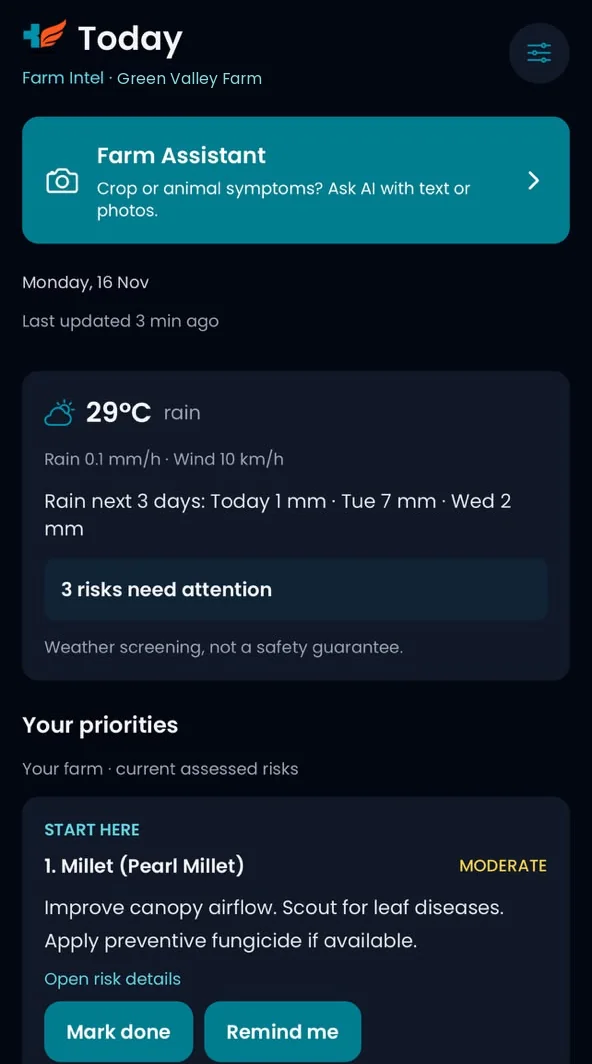
Farm Intel Today screen for a demo farm: rain over the next three days, three risks needing attention and a millet task to mark done or set a reminder.
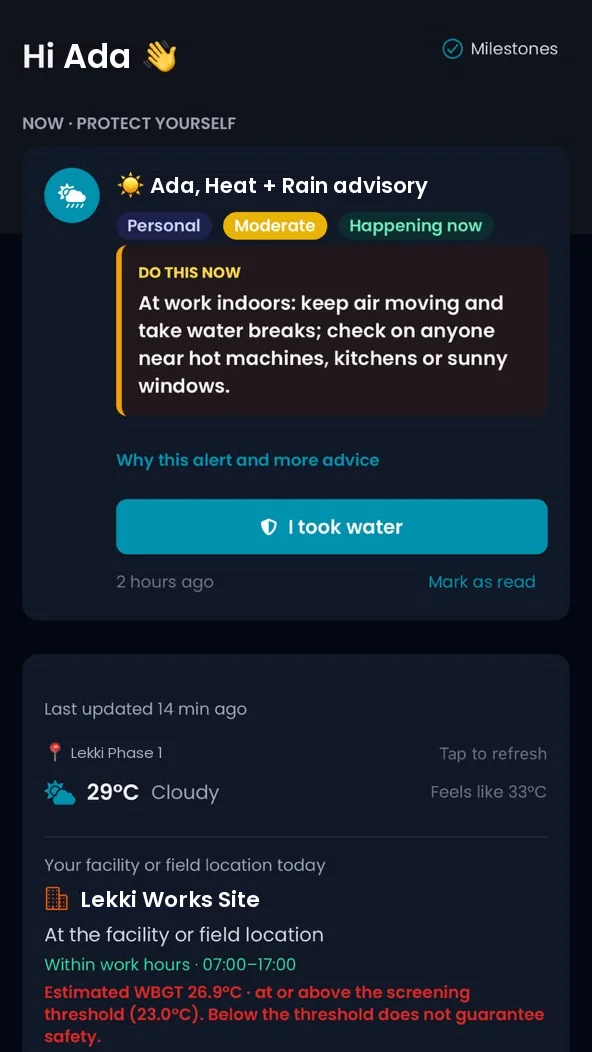
TheHyWing Health home screen for a demo user: a moderate heat and rain advisory telling them to keep air moving and take water breaks, an I took water button and today's weather.

What a warning looks like

What would you actually receive?

Illustrative examples, not live warnings or product screenshots. Actual guidance depends on available data, your details and access.

Personal Health example

High heat expected this afternoon

A warning explains the heat risk and suggests precautions such as planning strenuous outdoor activity for a cooler time.

You review the guidance and decide your next step. It is not a diagnosis.

Workforce example

Review heat risk across work sites

An employer with company Business coverage reviews site-level risks and aggregate workforce information in the admin dashboard.

A safety lead can review shift precautions without seeing workers' private health records.

Farm example

Rain may affect planned field work

A forecast and activity window help you review when to do field work at your saved farm location.

Check conditions on site before acting; a forecast is not a guarantee.
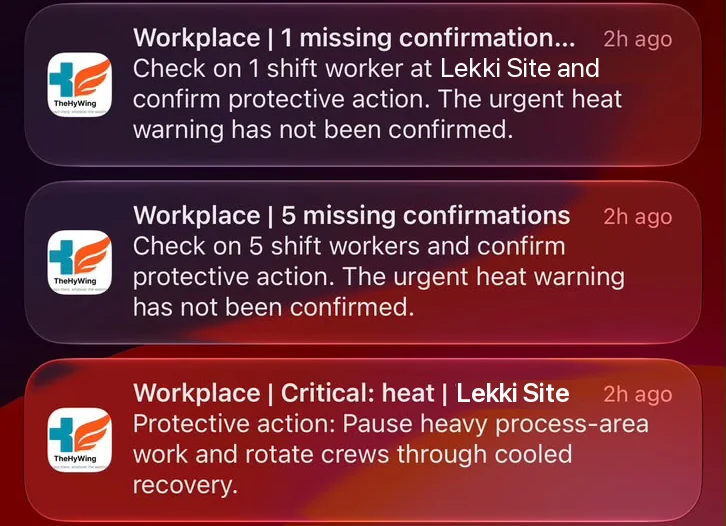
Workplace notifications on a phone lock screen: one and five shift workers have not confirmed protective action after an urgent heat warning, and a critical heat warning advises pausing heavy work and rotating crews.

For safety leads

Know who still needs to act

When an urgent heat warning goes out, admins see which shift workers have not yet confirmed protective action, so they can check on them.

Explore team plans

How it works

From setup to your next step

  1. 1

    Choose your route

    Pick Health or Farm. If an employer or sponsor invited you, follow that invitation.

  2. 2

    Add your details

    Add your location and relevant details. Review permissions and consent before sharing.

  3. 3

    Get warnings and act

    Review warnings and suggested precautions in the app or on WhatsApp.

Creating an account is free; your plan controls which features you can use. See full setup steps

No app needed to start

Warnings and check-ins on WhatsApp

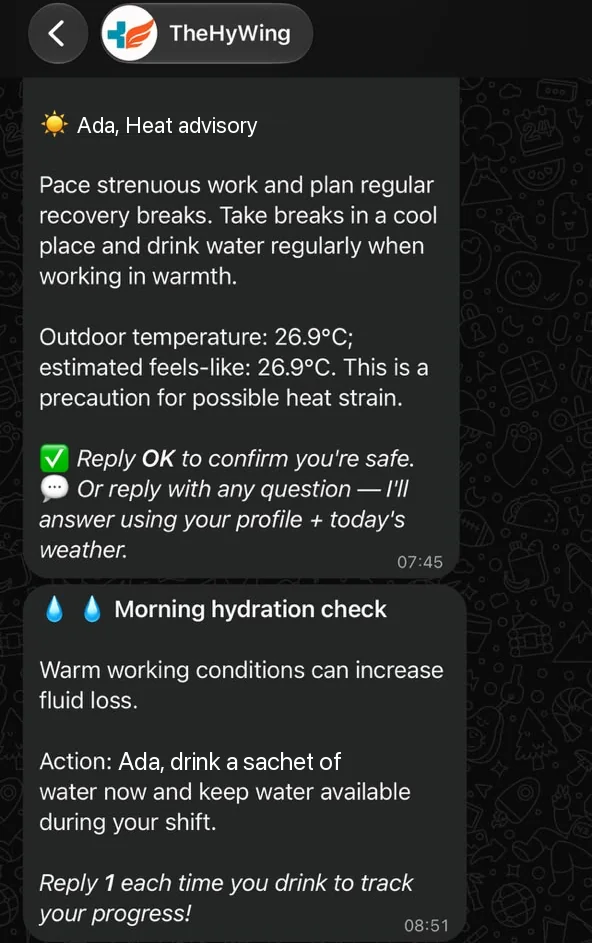
Get heat advisories, hydration reminders and a quick check-in afterwards in the chat you already use. Reply to confirm you are safe or ask a question.

See WhatsApp setup
TheHyWing WhatsApp chat for a demo user: a heat advisory with work and break advice, then a morning hydration check asking them to drink a sachet of water.

For your personal wellbeing

Health: climate guidance and a route to care

For individuals and workers who want to understand personal exposure, keep preventive routines and seek professional advice when needed.

Daily climate guidance

Heat, cold, weather and air-quality guidance informed by available data and your profile. Supported wearables can add context when permitted and connected.

Preventive routines

Guided health check-ins, relevant screening prompts and medication reminders help you keep track of next steps between clinical visits.

Symptoms and clinical support

AI-assisted symptom guidance can suggest next steps. Request a teleconsultation with a licensed practitioner, subject to your plan and provider availability.

Not a diagnosis or emergency service. Guidance may be incomplete and does not replace a clinician. In a life-threatening emergency, contact local emergency services. Insurance & HMO support: linked coverage lives in More tools. Partner plans and local-language voices

For growers, livestock keepers and storage operators

Farm Intel: plan, monitor and follow up

Guidance uses your confirmed farm location and selected crops, livestock and storage details. Outdoor forecasts and measured indoor conditions are shown as different sources of evidence.

Outdoor farm planning

Crop and livestock climate-risk screening, pest-favourable weather warnings, daily forecasts and activity windows support planting, field work and harvest decisions.

Storage and enclosed spaces

The monitoring pilot measures temperature and humidity in storage rooms, greenhouses and animal housing, using compatible Bluetooth sensors through a phone or a separately set-up gateway.

From advice to follow-up

Review risks, track tasks and set reminders. Confirm that you have seen a monitored-space incident in the app or on WhatsApp.

Farm Intel Today screen for a demo farm: Farm Assistant for crop or animal symptoms, rain over the next three days and a prioritised millet task.

Decision support, not a safety guarantee. Weather screening does not confirm pests or disease, and sensor readings do not certify food safety. Check conditions on site and use qualified agronomic or veterinary advice. Farm insurance records: keep farm evidence and share it with an approved insurer only with your permission. Insurers decide coverage and claims; Farm Business is not an insurance policy.

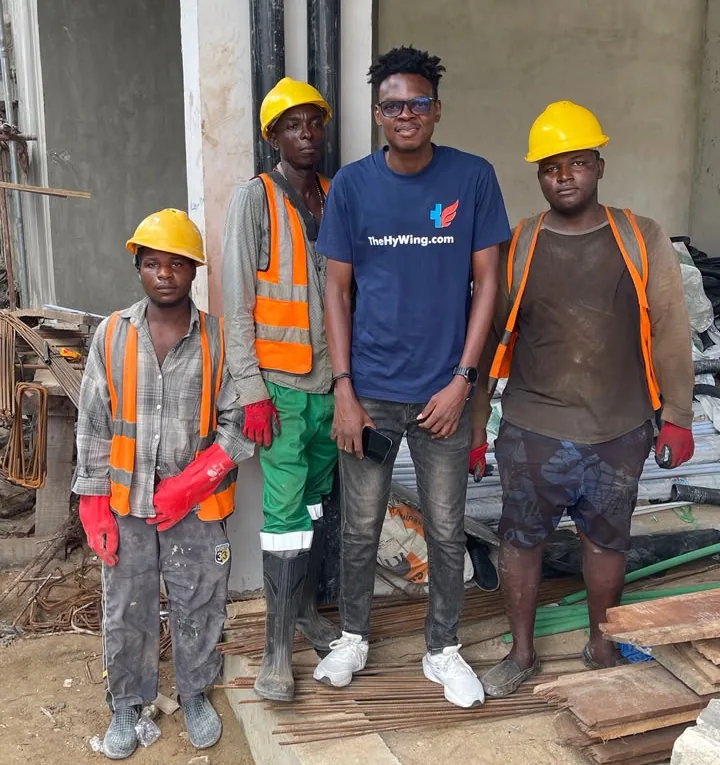
A person wearing a TheHyWing T-shirt standing with three construction workers at a building site.
With construction workers in Lagos.

Why we exist

A forecast alone rarely tells you what to do next

Heat, changing rainfall and poor air quality affect how people live and work, and how crops, livestock and stored produce fare. TheHyWing puts that information in context, explains its limits and helps you decide when to take precautions or seek professional support.

Read our story

Plans

Access that matches your experience

Creating an account is free. Check plan inclusions and prices before paying.

Health

Free to start

Free access includes critical safety warnings and existing records. Routine alerts and other tools need an eligible plan. Consultations are purchased separately.

Compare care plans

Farm Intel

From ₦5,000 /month

Farm guidance requires Business or an active sponsor-funded seat paid for by a cooperative or programme. Self-funded price shown; App Store prices may differ.

See Farm activation steps

Teams and cooperatives

Per seat

Funded access, seat capacity and deployment support for your workforce or farmer programme. Farmer sponsorship is distinct from employer membership.

Explore organisation plans

More ways to feel supported

Optional insurer offers and local-language voices

Insurance & HMO partners

Your insurer. Your TheHyWing plan.

Choose a participating insurer's offer and buy your TheHyWing subscription here, securely through Paystack. Manage linked coverage and partner care in More tools.

Find your insurer's plans

Published partner offers only. This buys app access, not an insurance policy; your insurer determines care eligibility and cover.

Local-language voices

Hear guidance in a familiar voice.

Listen in Pidgin, Hausa, Igbo or Yoruba on eligible paid plans. Choose your voice in Settings → Language & voice, or request audio for supported WhatsApp alerts.

Explore Voice Credits

3 free short readouts, then ₦400 per 15-second credit. Same-recording replays are free. Text alerts are unchanged.

Questions, answered

Can I switch between Health and Farm later?

New accounts choose once. Your choice becomes permanent when you confirm it during onboarding. Existing accounts retain their previous switching options. Buying Business does not unlock both products. Compare Health and Farm

What can I do without the app?

WhatsApp supports account setup, available guidance and supported replies. Buying a self-funded plan needs the app; a farmer with a funded invitation can accept it on WhatsApp. See WhatsApp steps and costs

Will WhatsApp alerts always arrive automatically?

WhatsApp needs internet access and messaging consent. For Farm messages outside WhatsApp's 24-hour reply window, notifications wait for your reply: no automatic paid-message fallback. Connectivity, quiet hours and notification settings affect delivery. Send STOP to stop WhatsApp notifications; this does not change your account's product choice.

What do I need for greenhouse or storage monitoring?

WhatsApp cannot pair BLE sensors. A supported Xiaomi/compatible BLE sensor needs the app and a nearby phone with connectivity; iOS background capture is not guaranteed. A commissioned gateway can send readings without the farmer's app. Check compatibility, placement and reference readings before relying on a setup. Air humidity is not grain moisture, and air temperature is not product or leaf temperature.

How are consent and sharing handled?

Farm signup does not grant health-data consent or enrol you with an employer. Farmer sponsorship sharing is optional. See our Privacy Policy for data processing, clinician access and organisation-sharing details, and our data deletion instructions for account-data requests.

Which languages and alert formats are supported?

Farm menus support English, Nigerian Pidgin, Hausa, Yorùbá and Igbo (send LANGUAGE IG); detailed source guidance may remain in English. Izon (Kolokuma) is available as a partial vocabulary draft alongside English (send LANGUAGE IJC): two dictionary-based terms, not full translations. Native-speaker review is pending; consent, setup instructions and farm advice remain in English. Health supports English and Nigerian Pidgin. In-app voice alerts also apply to Farm mode where enabled and supported; they are not a promise of WhatsApp voice calls or continuous background delivery.

Working with organisations

HSE teams and programme sponsors

Site-level risk information, workforce tools and funded access.

For teams and SMEs

Licensed healthcare providers

Apply to provide teleconsultations, or manage your existing practice.

Apply as a provider Provider sign-in

Integration partners

API capabilities, access requirements and integration options.

Explore our API

Get ahead of the weather today.

Download the app for your dashboard, device settings and sensor integrations, or start on WhatsApp.

Prefer WhatsApp? Follow the WhatsApp setup steps

Curious, but not ready to get started?

Occasional product updates, practical explainers and pilot opportunities. General information, not personalised alerts.

Explore email updates

Need help choosing or setting up?

For account support, partnerships or deployment questions:

[email protected]